One search for everything you work with.
Press Alt+K from any app to find an open tab, a page from last week, an app, a file or a whole workspace. Pick it and you’re there: the tab comes forward instead of opening twice.
Mac, Windows and Linux · free, no account
What it finds
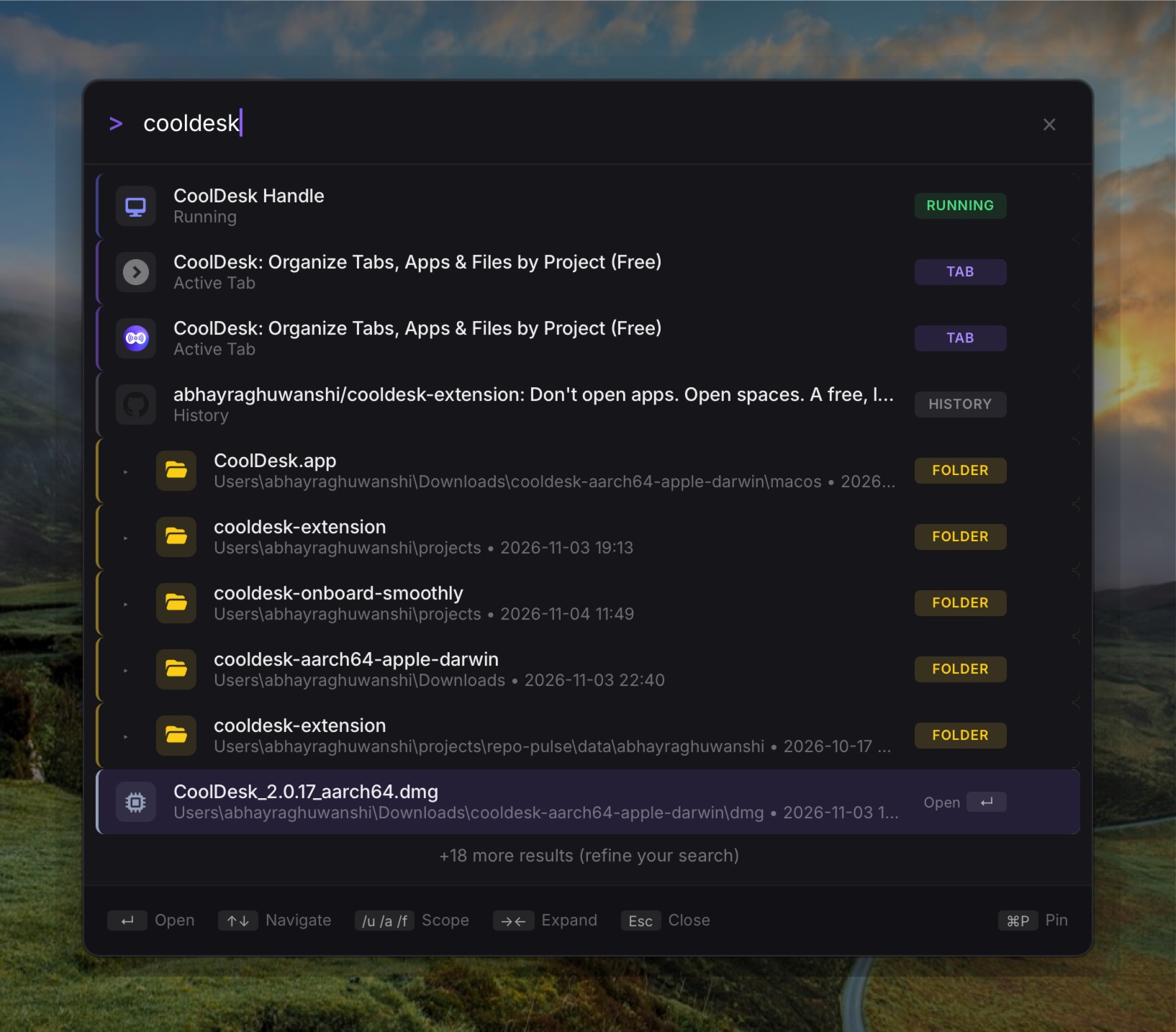
One box, every kind of thing you work with:
- Open tabs
- in your browser (with the CoolDesk extension) and in CoolDesk’s own browser. Picking one switches to it instead of opening a copy.
- History
- read from Chrome, Arc, Brave, Edge, Vivaldi and Chromium, every profile, one row per page
- Apps
- installed and running; a running app comes to the front
- Files & folders
- with a preview of code and Markdown before you open them
- Workspaces
- and everything saved in them: links, apps, folders, notes
A typo is fine, and words match in any order, so “boss big” still finds “Bigg Boss”.
Narrow it down
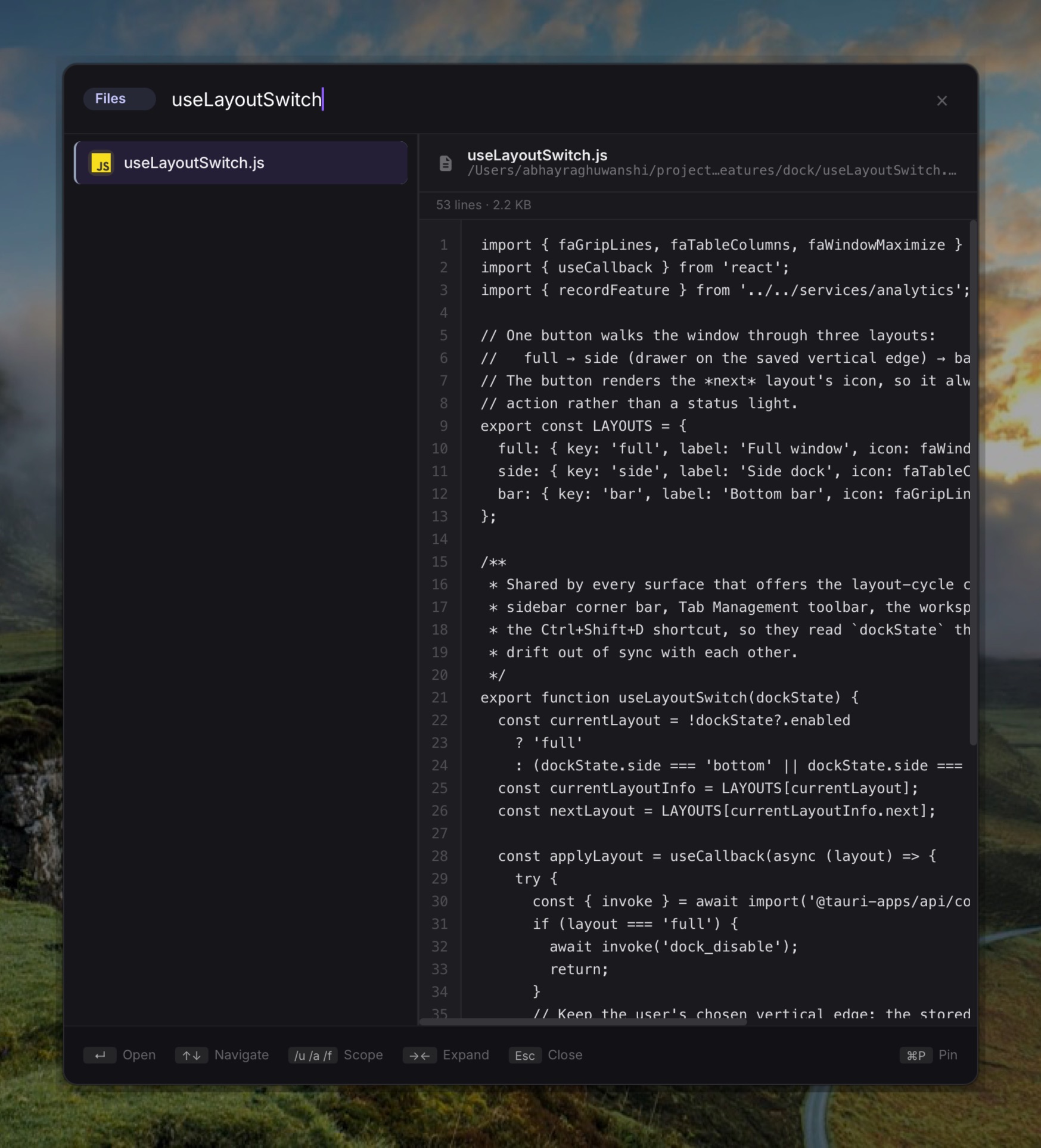
Start with a scope or a command to change what the box does:
- /u
- web pages only: tabs, bookmarks, history
- /a
- apps only
- /f
- files and folders only
- >
- run a command in a CoolDesk shell
- /shell
- a full terminal right inside Spotlight, still running when Spotlight closes
- /todo
- the workspace’s to-dos: type to add one, or pick another workspace
- /notes
- the workspace’s notes: type to jot one down
- /agent
- ask an AI agent about your work
- /new-workspace
- set up a workspace for a project
- /help
- what Spotlight can do, and what’s running right now
Scopes turn into a pill next to the box; Backspace on an empty box removes it.
Built for the keyboard
Ask the agent
Type /agent and ask in plain words: “sort my open tabs into workspaces”, “what was I reading about Tauri?”. It runs the AI coding CLI you already have (Claude Code, opencode or Codex CLI), and can look up your tabs, history and apps on its own.
It never changes anything by itself. You get a proposal showing what would move where; keep or skip each line, then apply.
It learns what you pick
When you choose a result for a search, Spotlight remembers and ranks it higher next time. All of that stays on your computer.
Questions
How is it different from macOS Spotlight or the Windows search?
It knows your work, not just your disk: open tabs across browsers, your browsing history, and which workspace things belong to. And it does the same on Mac, Windows and Linux.
Can I change the shortcut?
Yes. Alt+K is the default; pick another in Settings.
Does my history leave my computer?
No. Spotlight reads your browsers’ history files on your own computer, and its ranking lives there too. The privacy policy has the details.
What does the agent need?
An AI coding CLI you already use, such as Claude Code, opencode or Codex CLI. CoolDesk runs it for you; the agent can look up your tabs, history and apps but can’t change anything. Changes only happen when you apply a proposal.
Find anything in two keystrokes
Free, no account, and everything stays on your device.