CoolDesk logo
HomeFeaturesResourcesWidgets
StarDownload
Home / Features

Everything in CoolDesk.

A desktop app that keeps each project’s tabs, apps, files and notes together, and a browser extension for your new tab. Pick a part to see how it works.

Spotlight

Alt+K from any app. Open tabs, history, apps, files and workspaces in one search.
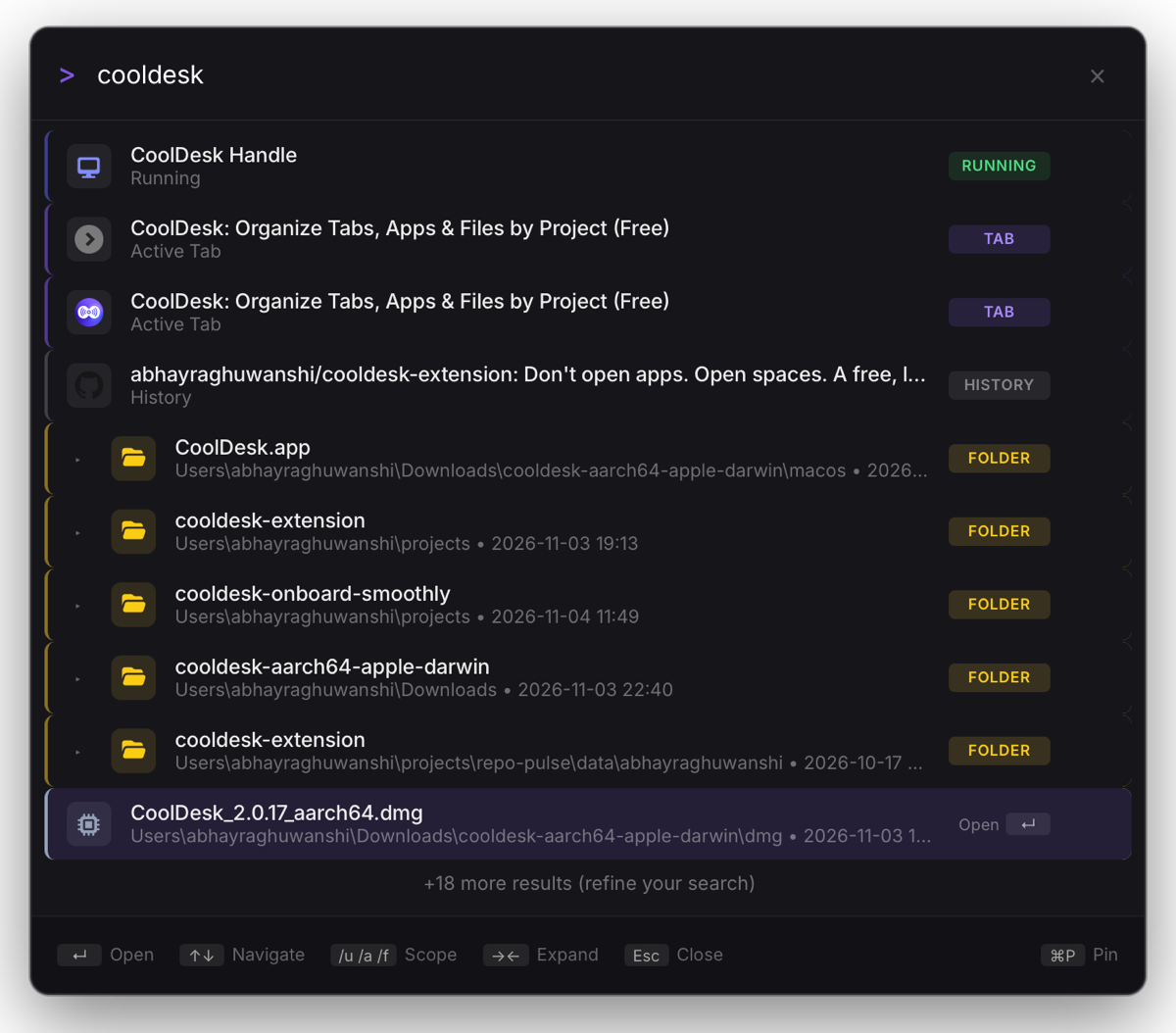
Spotlight searching “cooldesk”: a running app, open tabs, a history entry and project folders.

Clipboard history

Everything you copy, one hover away.
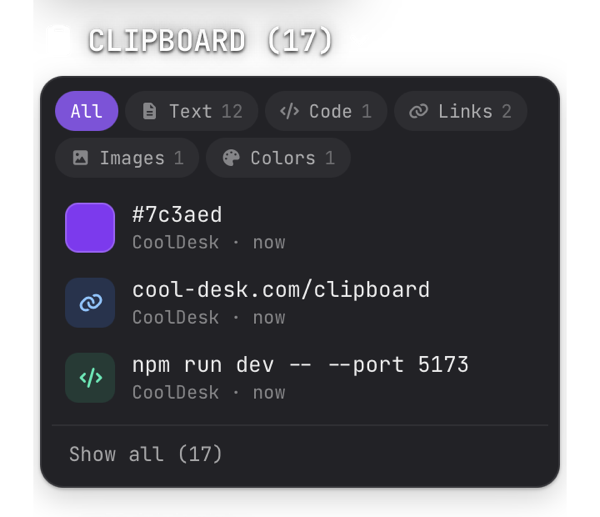
The clipboard card: filters by kind above a color, a link and a command.

AI agent

Ask in plain words. It proposes, you apply.

/agent sort my open tabs

+ react.dev → Frontend

+ vercel.com/docs → Deploy

− 2 skipped

Dock

A slim bar of the project’s links, apps and folders along the bottom of your screen.

The dock: the workspace’s GitHub repo, design chats, analytics, two dev servers and a repo folder with its branch.

Sidebar

Your project on the screen edge, tucked away until you hover.
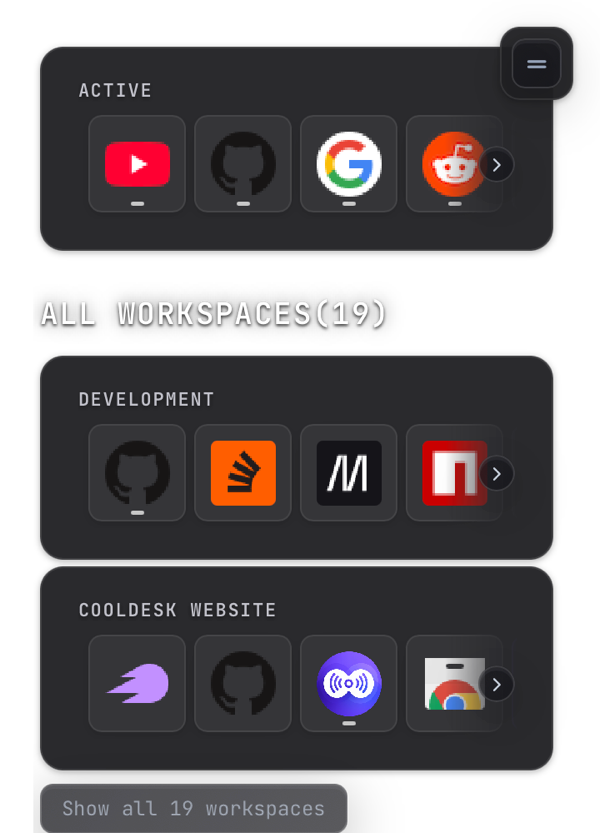
The sidebar: open apps and tabs, then two workspaces with their links.

Browser

A project’s pages beside its notes and files. Tile them side by side.
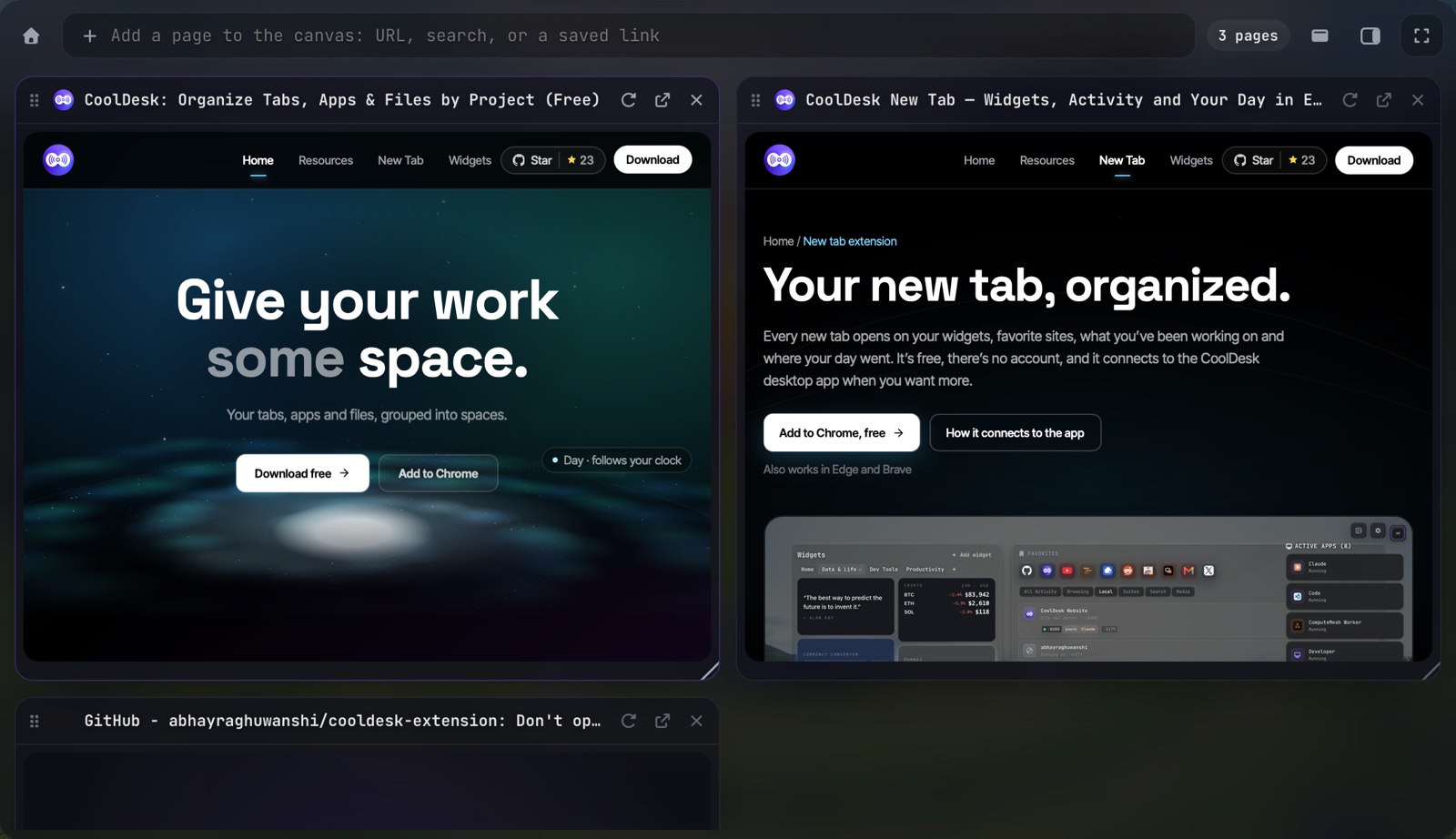
Multi view in CoolDesk’s browser: two pages tiled side by side.

Shell

A real terminal in the sidebar and as a tab.
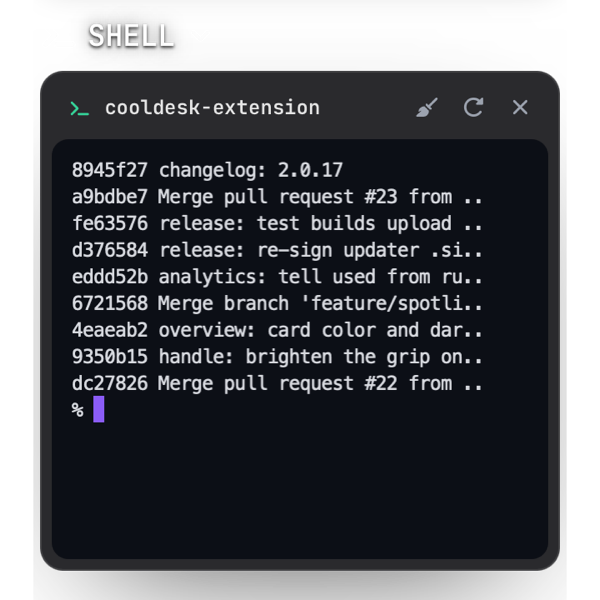
The sidebar’s shell listing a project’s recent commits.

File manager

Folders that know their project, its commands and the projects linked to it.
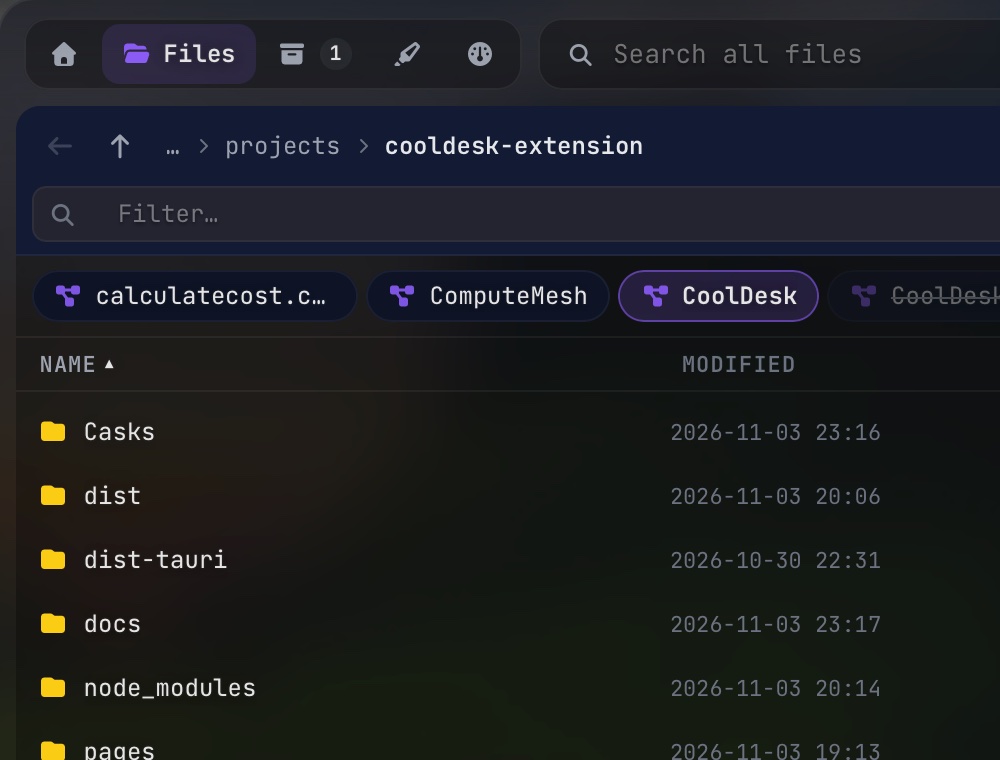
The Files panel in the cooldesk-extension project, with linked projects along the top.

New tab

Browser extension

Widgets, favorites and your activity in every browser tab. 49 layouts, sixteen themes.
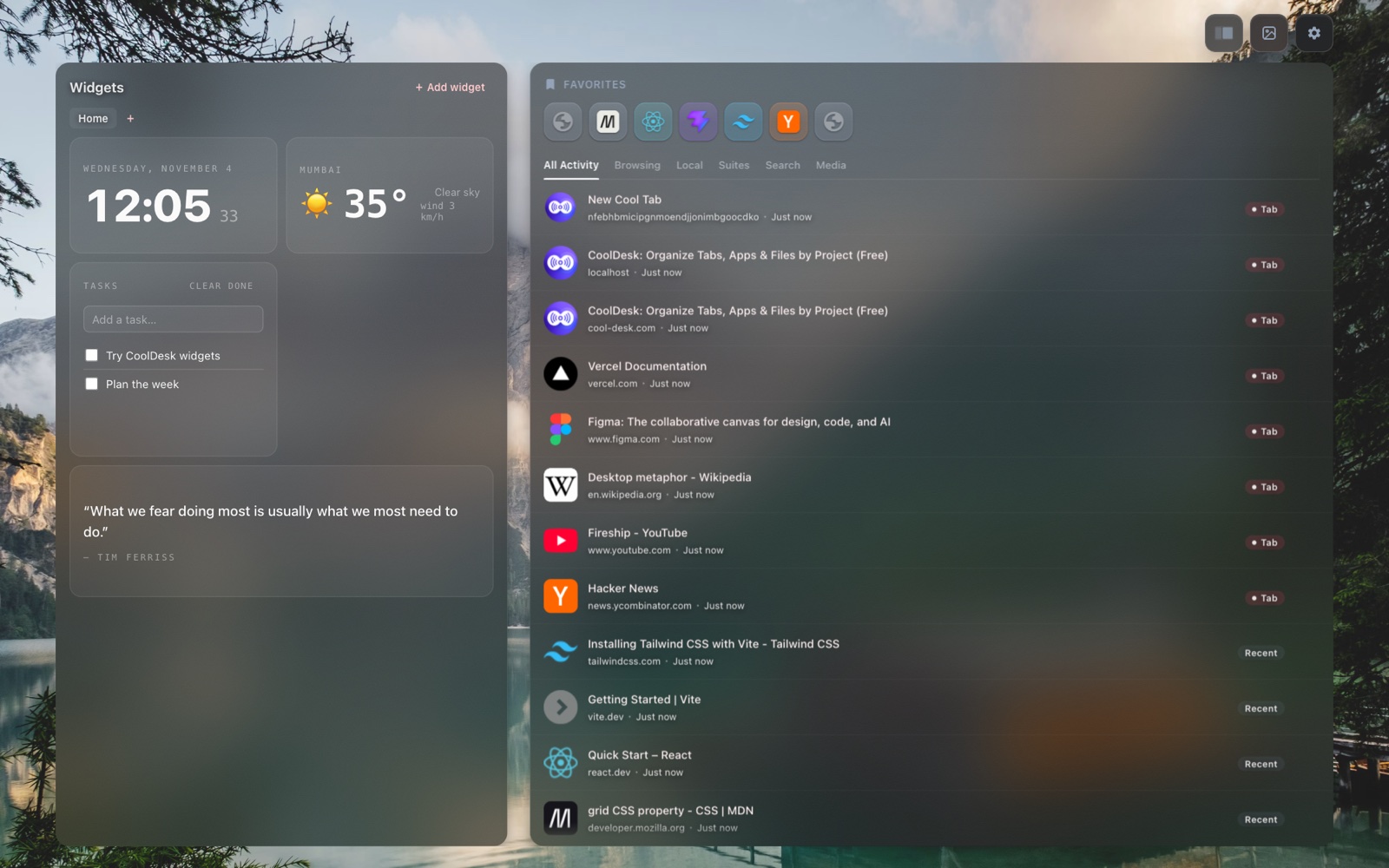
The new tab in the Classic layout: clock, weather, tasks and a quote beside favorites and the activity feed.

Free, no account

Mac, Windows and Linux. Everything stays on your device.

Download CoolDesk
CoolDesk logo

Browser tabs, desktop apps, links, and notes — kept in spaces in the app.

Features

  • Spotlight
  • Sidebar
  • Dock
  • Browser
  • Shell
  • File manager
  • Clipboard history
  • New tab

Navigation

  • How to Use
  • New Tab Extension
  • FAQ
  • CoolDesk vs Workona
  • CoolDesk vs Toby
  • CoolDesk vs Raycast
  • CoolDesk vs Alfred
  • CoolDesk vs Spotlight
  • CoolDesk vs PowerToys
  • CoolDesk vs Momentum
  • CoolDesk vs Flow Launcher
  • CoolDesk vs Arc
  • CoolDesk vs OneTab
  • CoolDesk vs Session Buddy
  • CoolDesk vs Chrome Tab Groups
  • All comparisons

Resources

  • All resources
  • Getting started
  • Release Notes
  • Under the Hood
  • Founder Story
  • Contact Us
  • Privacy Policy
  • Terms of Service

CoolDesk

© 2026 CoolDesk. All rights reserved.

v1.3.0|Open Source