Everything you copied, one hover away.
CoolDesk keeps what you copy, text, links, code, images, files and colors, in a card in your sidebar. Click a clip to copy it again, or drag it straight into another app.
Mac, Windows and Linux · free, no account
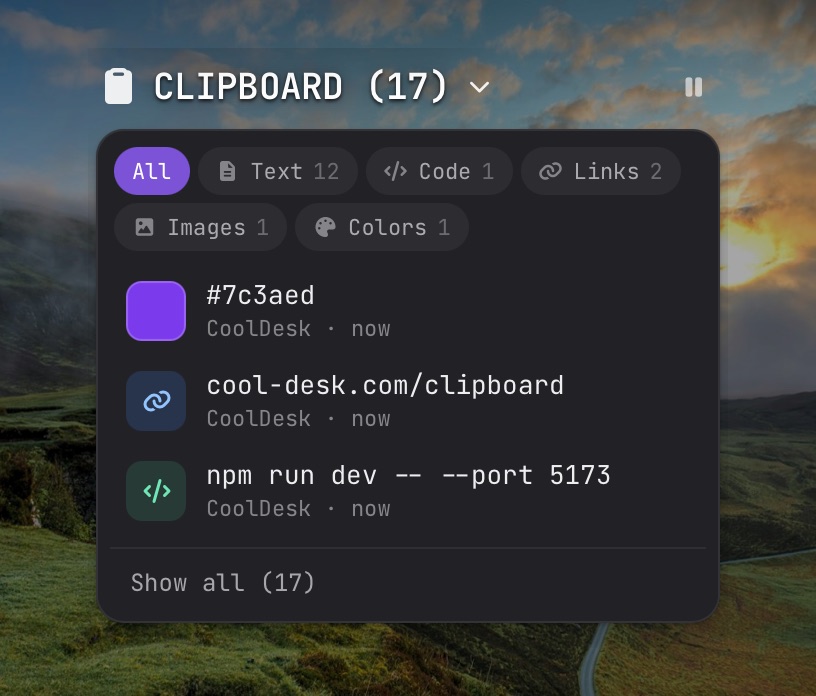
A card in your sidebar
The clipboard sits in the sidebar, just below your workspaces. It shows your three latest clips; Show all lists the rest, with filters to narrow them down.
Click a clip to copy it. The eye opens a preview right in the list: the full text, rendered Markdown, the image, or the colour.
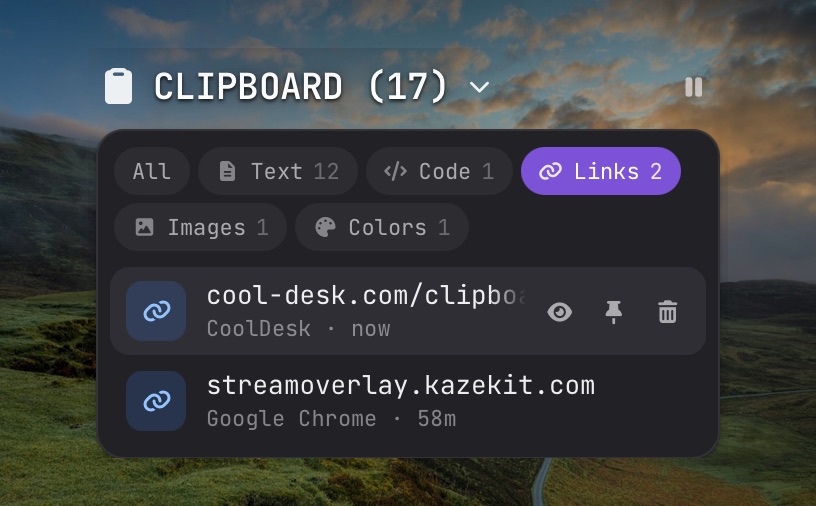
What it keeps
- Text
- anything you copy, with long text kept in full
- Code
- snippets, recognised as code and previewed as code
- Links
- shown by site and path, so you can tell them apart
- Images
- screenshots and copied pictures, as thumbnails
- Files
- files you copied in Finder or Explorer
- Colors
- hex and rgb values, with a swatch
Drag it where it’s needed
Drag a clip out of the list and drop it anywhere: text lands as text, and images and copied files land as real files, ready for an email, a chat or a design tool.
Drop a link on a workspace card and it’s saved to that workspace. Drop anything into the built-in browser to use it there.
Pin, pause and clear
- Pin the clips you reuse (an address, a command, a hex code). Pinned clips stay at the top and never expire.
- Pause from the card when you’re about to copy something private.
- Clear unpinned wipes the rest in one go. Old clips go on their own after 30 days.
What it never saves
Clipboard history is off until you turn it on. When it’s on, it still skips:
- anything your password manager marks as hidden,
- anything copied while a password manager is the app in front,
- anything copied while history is paused,
- huge text dumps and giant images.
Everything it keeps stays in a folder on your computer.
Questions
Is it on by default?
No. Clipboard history stays off until you turn it on in Settings, and nothing you copied before then is recorded.
Does it save my passwords?
No. Anything a password manager marks as hidden is skipped, as is anything copied while a known password manager is in front. Copies made while history is paused are never recorded either.
Where is my history stored?
In CoolDesk’s own folder on your computer. It isn’t synced or uploaded anywhere. The privacy policy has the details.
How much does it keep?
The last 300 clips, for up to 30 days. Pinned clips are kept until you unpin them.
Stop copying the same thing twice
Free, no account, and everything stays on your device.