A file manager that knows your projects.
Browse a workspace’s folders with its commands one click away: start the dev server, run the build, jump to the linked backend. Preview files, open archives and drag anything out, all from the keyboard if you like.
Mac, Windows and Linux · free, no account
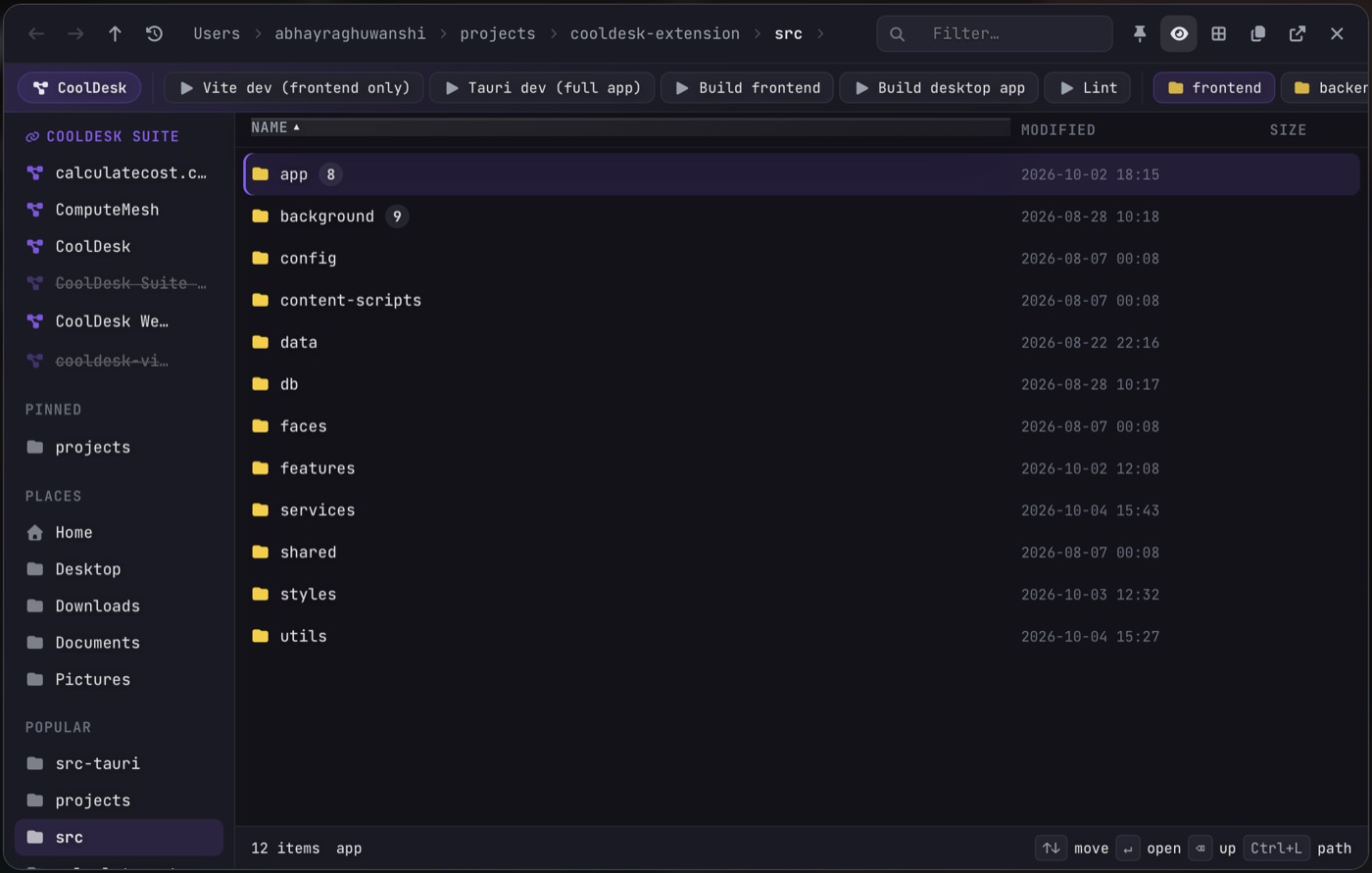
The project’s commands, in one row
Wherever you are inside a project, its saved commands sit along the top: Vite dev, Build, Lint, whatever you’ve added. Each runs in its own terminal at the project’s root, so you can watch it.
Linked projects, one jump away
Link projects that belong together, like an app and its backend, and move between them from the side list. Places, recent locations and pinned folders are there too.
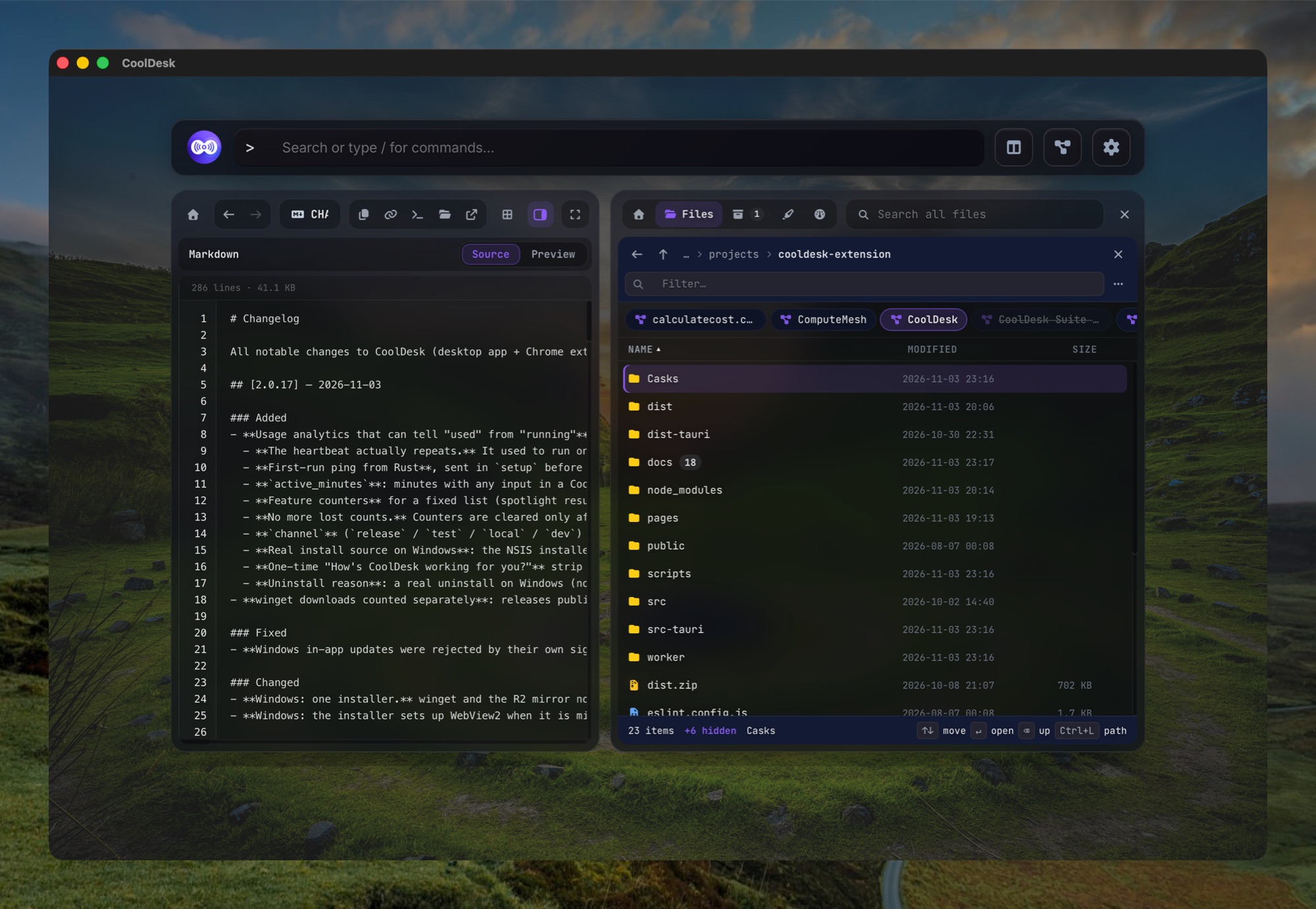
Look before you open
Turn on the preview column and the file under your cursor shows beside the list: code with highlighting, Markdown rendered, images, and more. Click a file to open it in its usual app.
Switch between a list and a grid. Hovering a folder loads it before you click, so moving around feels instant.
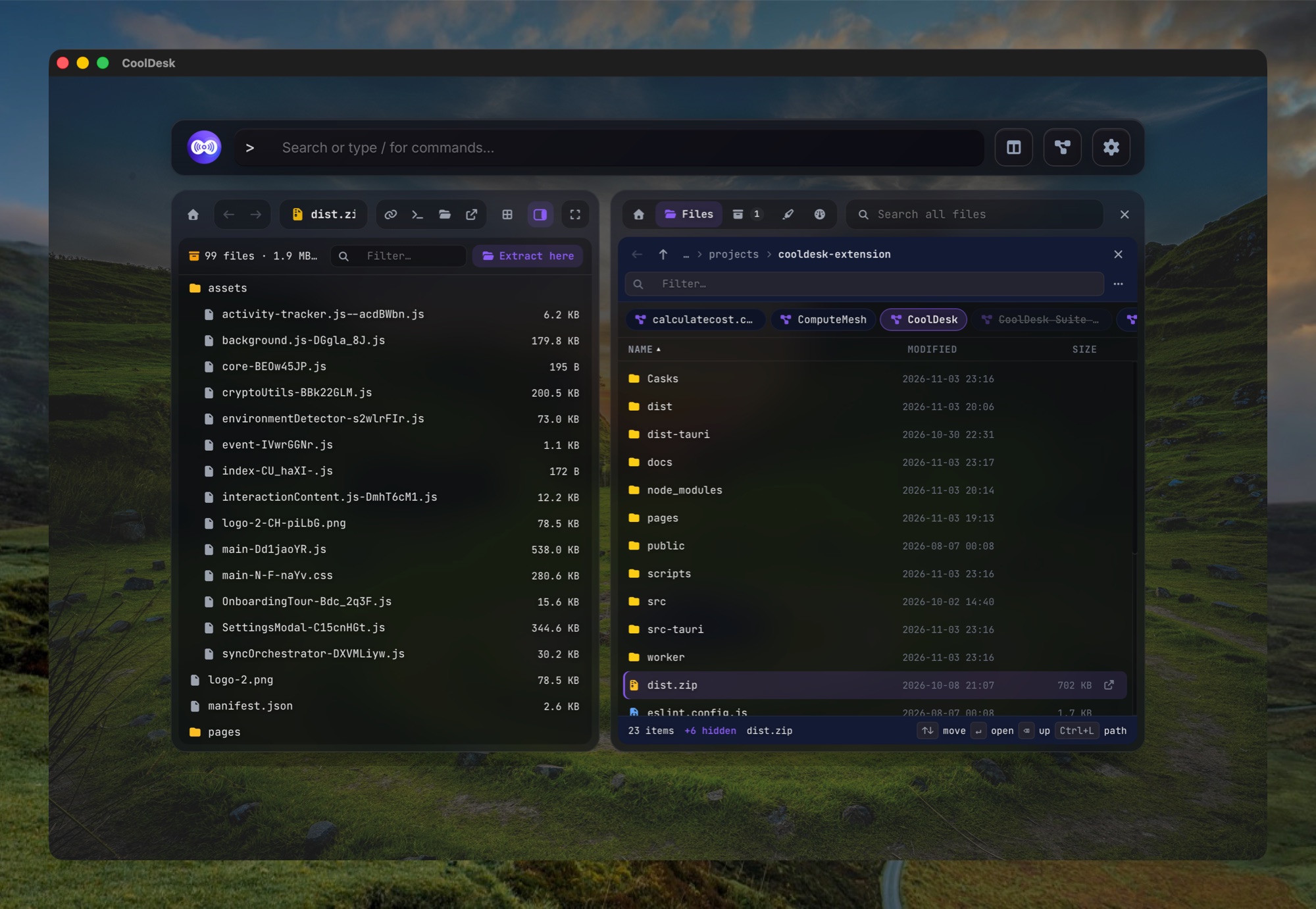
Archives and drag-out
Extract here unpacks a zip, tar, 7z or rar right where it is, and Compress turns a file or folder into a .zip. The folder updates as soon as it’s done.
Drag files out to any app, and copy a path in one click.
Built for the keyboard
- ↑ ↓ Enter
- move and open
- Backspace
- up one folder
- Alt+← / →
- back and forward
- Ctrl+L
- type a path
- Any letter
- filter the folder as you type
Esc closes it.
Questions
Does it replace Finder or Explorer?
No. It’s for getting around your projects fast. For renaming, copying or file properties, Open in system file manager is one click away.
Which archives can it open?
Zip and tar (.gz, .xz, .bz2) everywhere, plus 7z and rar on Mac and Windows. Extract one where it sits, or compress a file or folder to a .zip. To look inside first, open it in the built-in browser.
Does it see changes made by other apps?
Yes. The open folder updates by itself, so a finished download or a file saved from your editor shows up without a refresh.
Get to the right folder, and the right command
Free, no account, and everything stays on your device.