A dock for the project you’re on.
A slim bar along the bottom of your screen with the current workspace’s links, apps and folders. A dot marks what’s already open; click to bring it forward, or to launch it if it isn’t.
Mac, Windows and Linux · free, no account

What’s on it
- The space you’re in
- Dev server running on :3000
- Repo folders, with their branch
- Edit, or switch layout
Every item is a labelled chip. Folder chips show the project’s stack, its git branch (and whether there are changes), and a dev server running from it.
Hover any chip and its name shows right in the bar, with no tooltip delay.
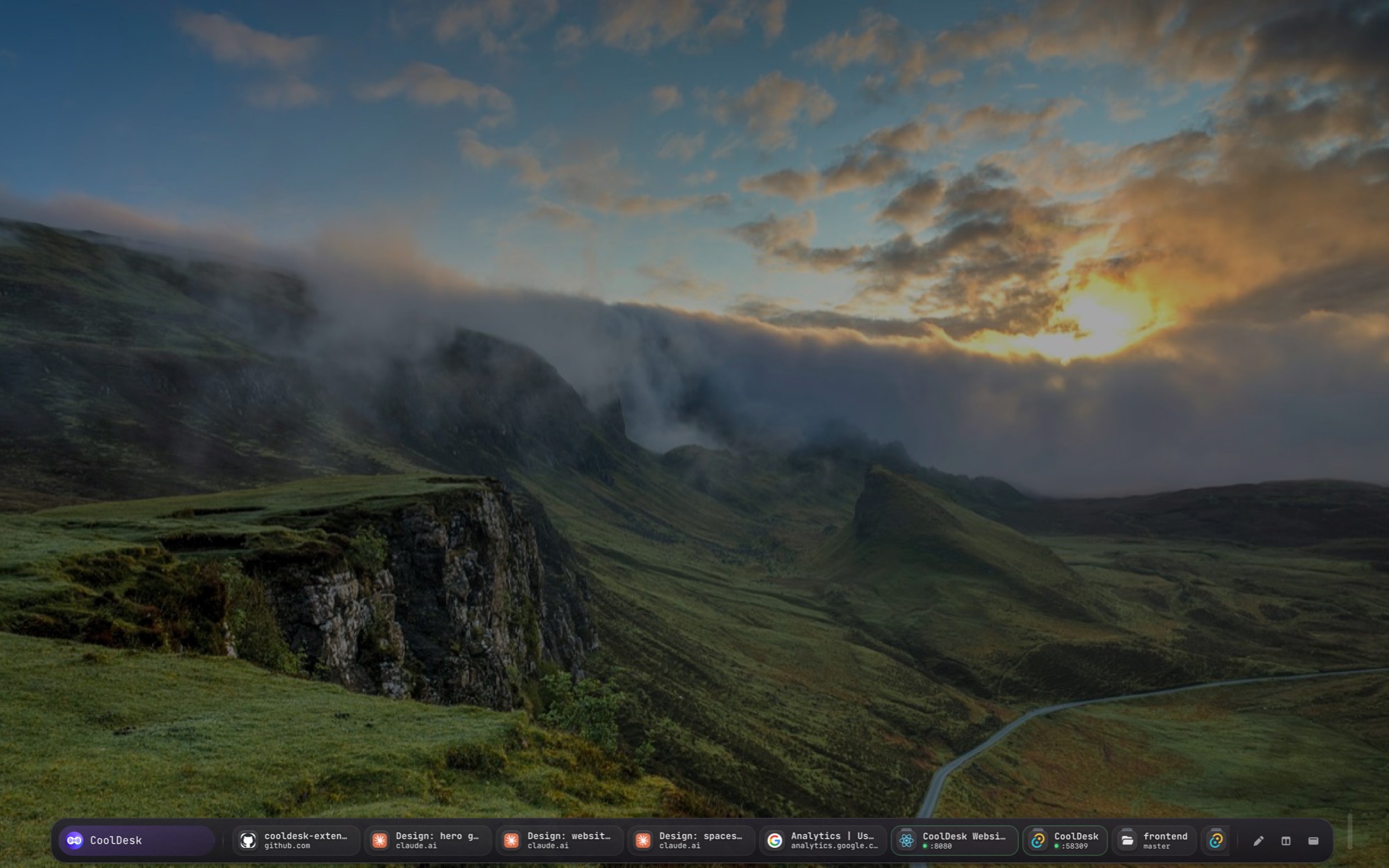
Everything open right now
Click the logo to flip to the Active view: every running app and open browser tab, in or out of a workspace, like the running section of the macOS Dock. Click the logo again to go back to the workspace.

Switch projects in a click
Click the workspace name and the bar turns into one chip per workspace, most active first. Pick one and its launchers come back. Or just scroll over the name to step to the next or previous workspace.

Out of the way until you need it
The dock is a see-through pill that hugs its content, so clicks beside it reach the apps behind. It tucks down to a handle and slides up when you hover the bottom edge.
Want more room? The sidebar holds the same workspace plus your clipboard, shell and folders.
Questions
Does it replace the macOS Dock or the Windows taskbar?
No, it sits alongside them. Your system dock keeps every app; CoolDesk’s dock shows one project’s links, apps and folders, plus what’s open right now.
Will it cover my work?
It tucks away to a thin handle at the bottom of the screen and slides back in when you hover it. The handle hides itself while a full-screen app, game or video is in front.
How do I switch to it?
Press Ctrl+Shift+D or the layout button to cycle through Full window, Sidebar and Dock.
Put your project along the bottom of the screen
Free, no account, and everything stays on your device.