A launcher and Spotlight for your projects
Launchers open apps.
CoolDesk opens your work.
Press Alt+K to find any tab, app, file or note — or switch projects and get everything back exactly where you left it.
What makes CoolDesk cool
Search
One Alt+K spotlight across tabs, history, files, folders, apps and workspaces — reaching your whole machine, not just the active window.
Auto-organise
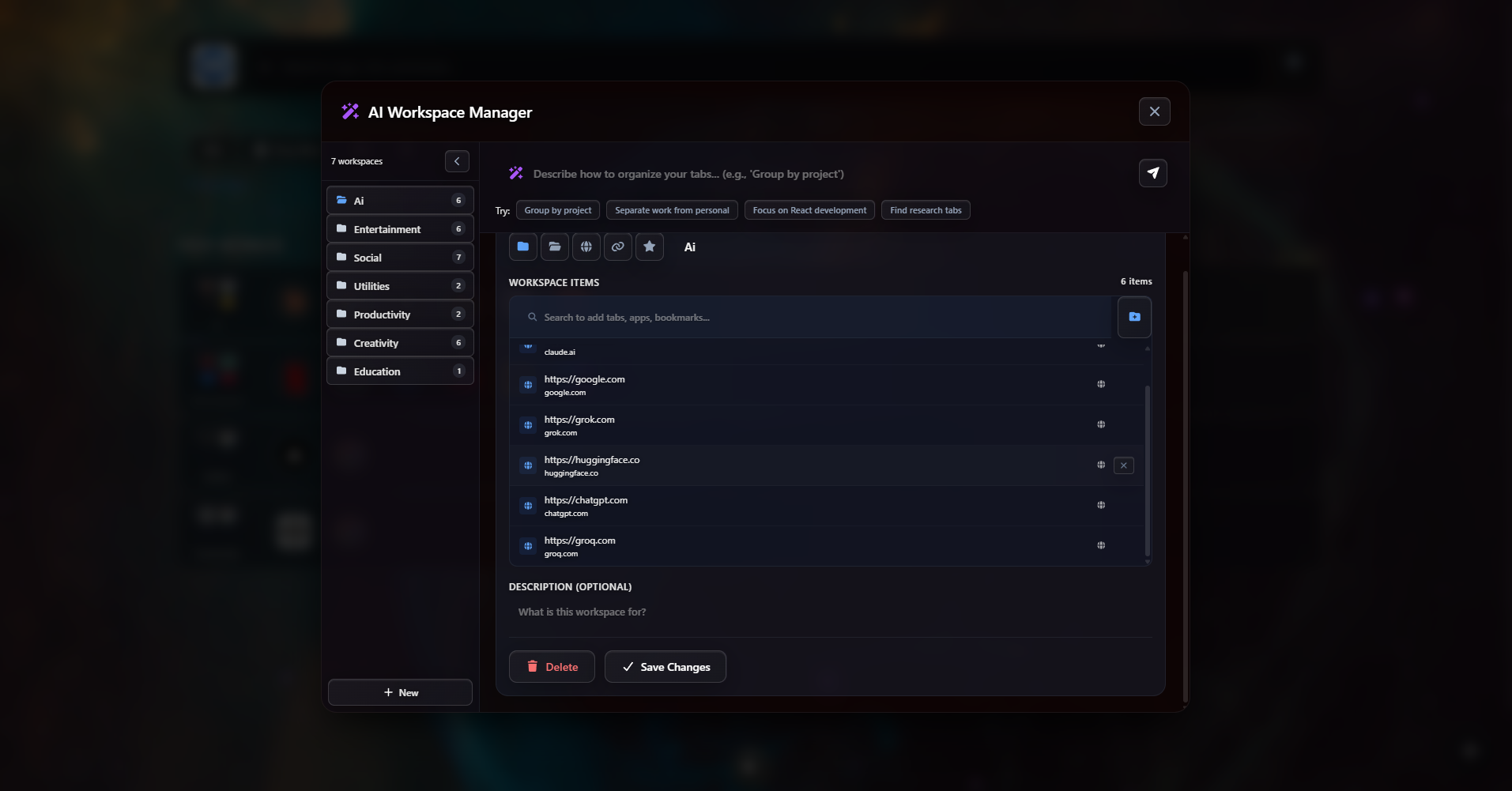
Create a project and CoolDesk fills it in — it learns from what you actually do and groups your tabs, links, notes and apps by project, automatically and entirely on your device.
AI agentNew
Type /agent in Spotlight to run Claude Code, opencode or Codex CLI on your machine — ask it to reorganise your workspaces and confirm each change before it applies.
Share
Publish a curated workspace and hand it over as a link — a ready-made set of tabs and resources anyone can open.
Project taskbar
Dock a workspace to the edge of your screen — its links and apps become a slim taskbar where one click opens anything, or brings it forward if it's already running.
Widgets
Clocks, todos, focus timers, dev tools — pick widgets from the store and arrange them on your new tab, with live data from the desktop bridge.
Project workspaces
How a project comes together
The catch with every organiser is the filing it demands. CoolDesk skips it — describe the project, let it group what belongs there, and it's in Spotlight from then on.
Download CoolDesk
v1.3.0The extension handles tabs. The desktop app adds AI Spotlight across your native apps.
Community
GitHub
Open source · 100+ downloads
r/cooldesk
Latest release
v1.3.0
Built in the open. Bugs, ideas and feature requests are welcome on GitHub or the subreddit — we ship updates often.
The extension works standalone — the desktop app is optional, for Spotlight across native apps.
Fig. 1 — how the pieces fit
Two apps. One Spotlight.
The extension organises your browser. The desktop app adds native app search, the taskbar and the AI agent — synced locally, both ways. Alt + K searches it all.
COOLDESK — SYSTEM ASSEMBLY
FAQs
Works on
Other Chromium browsers work too · Firefox is on the roadmap
CoolDesk is a free launcher for Windows and Mac. Press Alt+K to find and open anything — tabs, apps, files, notes — and keep everything grouped by project. No sign-in needed.
Launchers open apps fast, but they forget what you're working on — every search starts from zero. Tab managers only handle browser tabs. CoolDesk does the fast-open part and remembers your projects: switch projects and your tabs, apps and notes come back exactly where you left them. In short: launchers open apps, CoolDesk opens your work.
A workspace is everything one project needs in one place — its tabs, links, notes and apps. Your new tab shows your workspaces, so switching projects takes one click. CoolDesk's AI can also group your open tabs into projects for you.
Press Alt+K anywhere. One search covers your open tabs, history, bookmarks, notes, files and running apps — type a few letters and jump straight there.
Yes. Everything stays on your device — CoolDesk has no servers storing your tabs, history or notes. Optional extras like cloud AI only run if you turn them on, using your own API key.
The browser extension works on its own. The desktop app extends search to your whole machine — desktop apps, files and individual windows. If you have three VS Code windows open, it shows each one by project, so you jump to the right window.
Yes. Share a workspace as a link — its tabs, links and notes included. Sharing is end-to-end encrypted and needs no account.